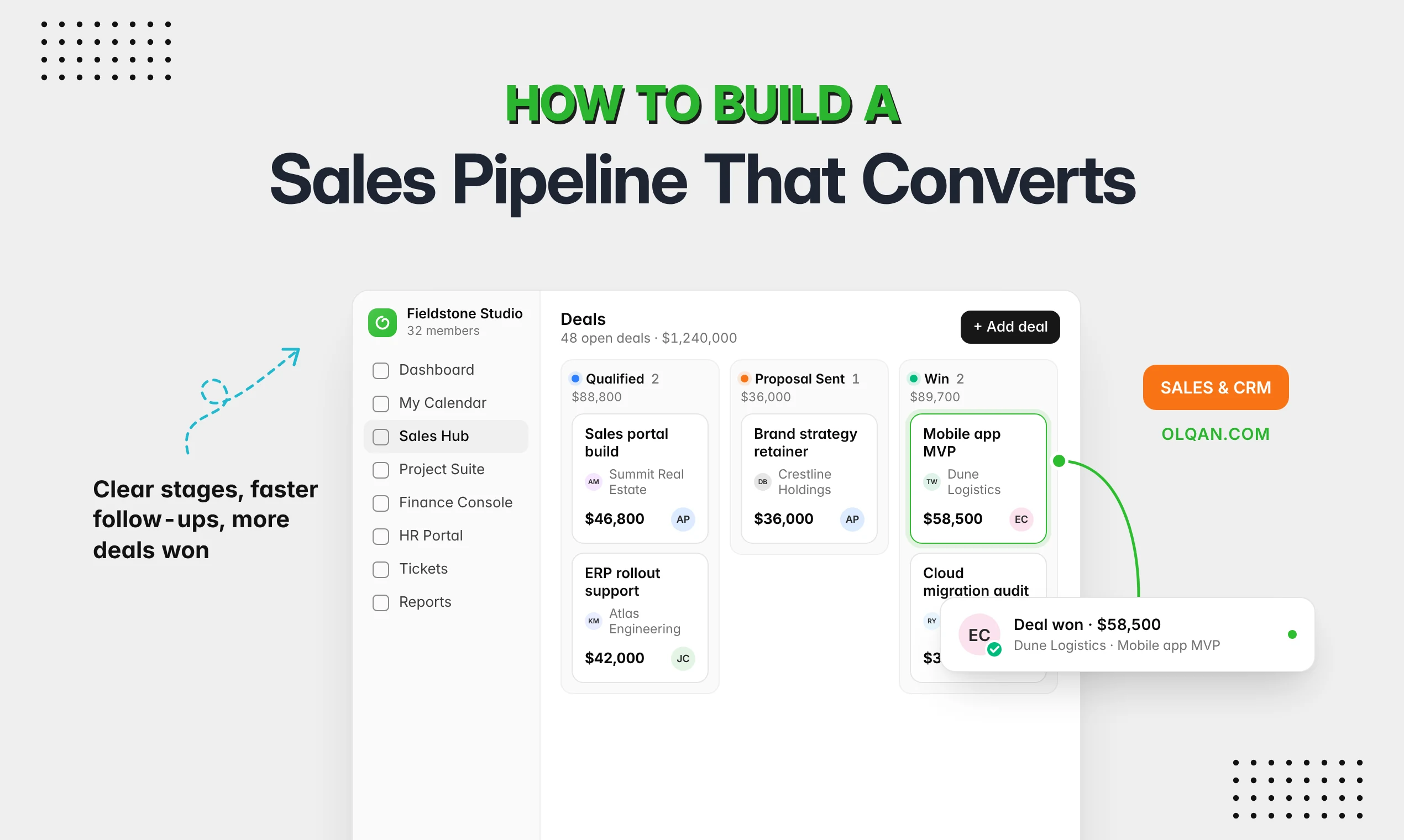

Most service businesses buy their first tools one problem at a time. Leads keep slipping, so you buy a CRM. Projects keep running late, so you add project management software. A year later, sales and delivery live in two systems, the handoff between them happens in email, and nobody can say which clients are actually profitable.
This guide gives you a direct answer to the CRM vs project management software question, shows where each one fits in a service business, and helps you decide whether you need one, both, or a single system that does both.
The short answer: a CRM manages your relationships and sales pipeline until a client says yes. Project management software manages the work after they say yes. A service business that sells and delivers its own work needs both functions. The real decision is whether you run them as two separate tools or as one system where a won deal becomes a project without retyping.
What is a CRM?
CRM stands for customer relationship management. CRM software is the system where you manage contacts, companies, leads and deals. Its job is to help you win and keep clients.
Typical CRM features include:
- Contact management: one record per person and company, with history, notes and communication.
- Lead management: capturing, qualifying and assigning new enquiries.
- Sales pipeline: deals moving through stages, with value, owner and expected close date.
- Proposals and follow-ups: quotes, reminders and next steps so no opportunity goes cold.
- Sales reporting: pipeline value, win rate and forecasted revenue.
Well-known standalone CRM platforms include Salesforce, HubSpot CRM and Zoho CRM. The goal of a CRM is the same in each: give your sales team one place to see every relationship and every open opportunity.
What is project management software?
Project management software is where you plan, deliver and track work. Its job is to get projects done on time and within budget.
Typical project management features include:
- Project planning: scope, milestones, project timelines and project templates for repeatable work.
- Task management: tasks with owners, due dates, priorities and status.
- Collaboration: comments, files and updates in one place instead of scattered chats.
- Time tracking: hours logged against tasks, billable or not.
- Resource management: who is working on what, and who has capacity.
- Project tracking: project status, project progress, budget versus actual.
Project managers use it daily. The rest of the team uses it to know what to work on next.
CRM vs project management software: the key differences
| CRM | Project management software | |
|---|---|---|
| Main question it answers | Who should we sell to, and what is in the pipeline? | What needs to be done, by whom, and by when? |
| Core record | Contact, company, lead and deal | Project, task and time entry |
| Main users | Sales, account managers, founders | Project managers, delivery teams |
| Where it starts and ends | From first contact until the deal is won or lost, then renewals | From signed agreement until the project is delivered and closed |
| Key metrics | Pipeline value, win rate, sales cycle length | On-time delivery, hours versus budget, utilization |
| Typical failure | Deals won without a clear scope or price handed to delivery | Projects delivered without knowing whether they were profitable |
The differences matter less than the connection. In a service business, the deal and the project are two halves of the same client engagement.
Where each fits in a service business
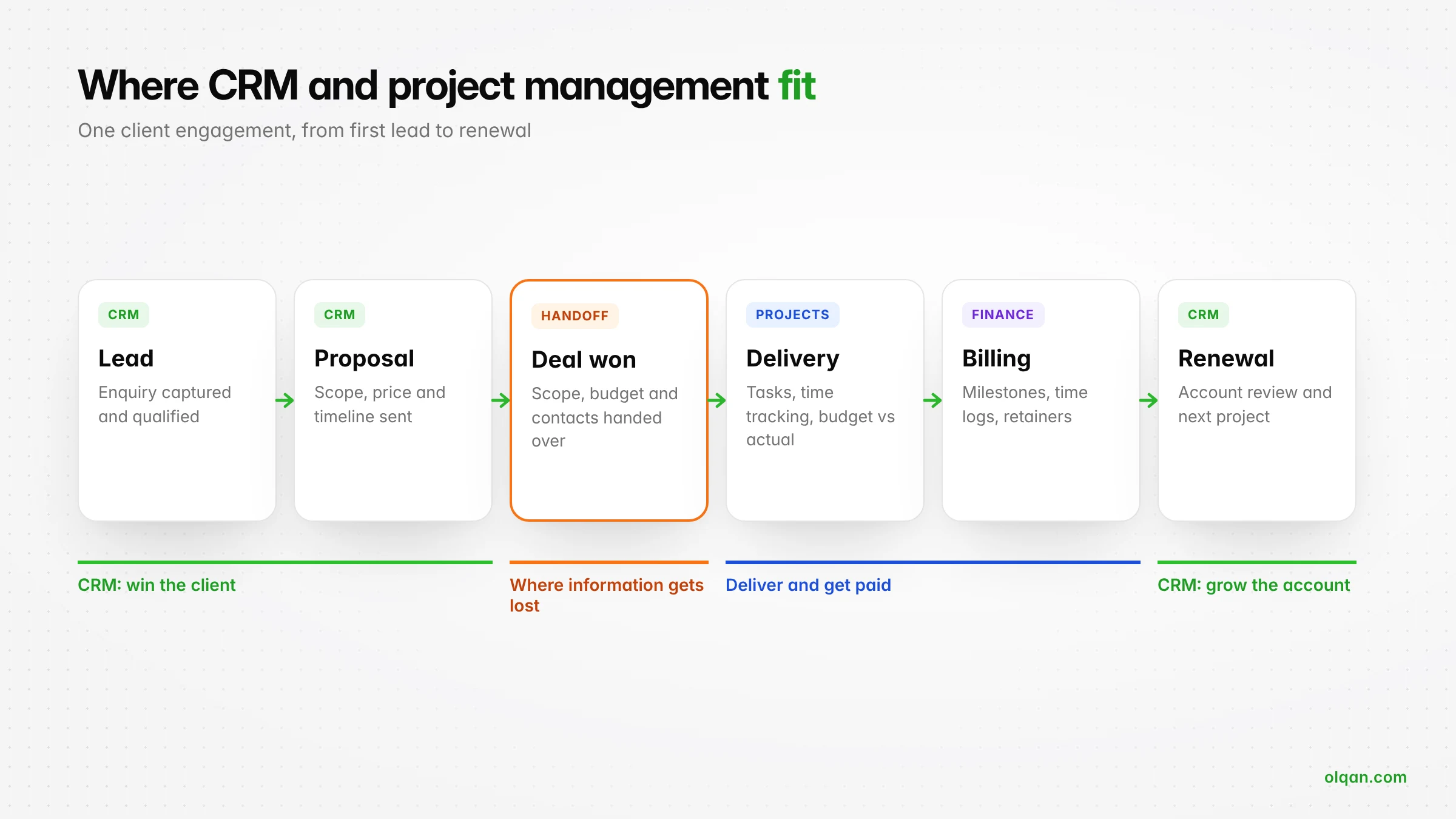
Follow one client through your business and the line between the two tools becomes clear.
- Lead and qualification (CRM): a prospect fills in a form or gets a referral. Sales qualifies them and opens a deal.
- Proposal and negotiation (CRM): you send a proposal with scope, price and timeline, and follow up until they decide.
- Deal won (the handoff): the client signs. Scope, price, contacts and promises now need to reach the delivery team.
- Delivery (project management): the project is planned, tasks are assigned and time is tracked.
- Billing and payment (finance): milestones and hours are invoiced and paid.
- Review and renewal (CRM again): account managers use delivery history to grow the relationship or renew the retainer.
The gap between them: the sales-to-delivery handoff
When CRM and project management live in separate tools, the moment a deal is won is where information gets lost. Common examples:
- The proposal promised two revision rounds, but the project team plans for unlimited feedback.
- The deal was priced at 300 hours, but the project has no budget, so nobody notices when it passes 400.
- The client’s decision-maker is in the CRM, while the project team emails someone else.
- Sales agreed a 50% deposit, but finance only learns about the project at the end of the month.
None of these is a tool problem on its own. They happen because two systems have to be kept in sync by people who are busy doing other work.

Worked example: one client engagement, end to end
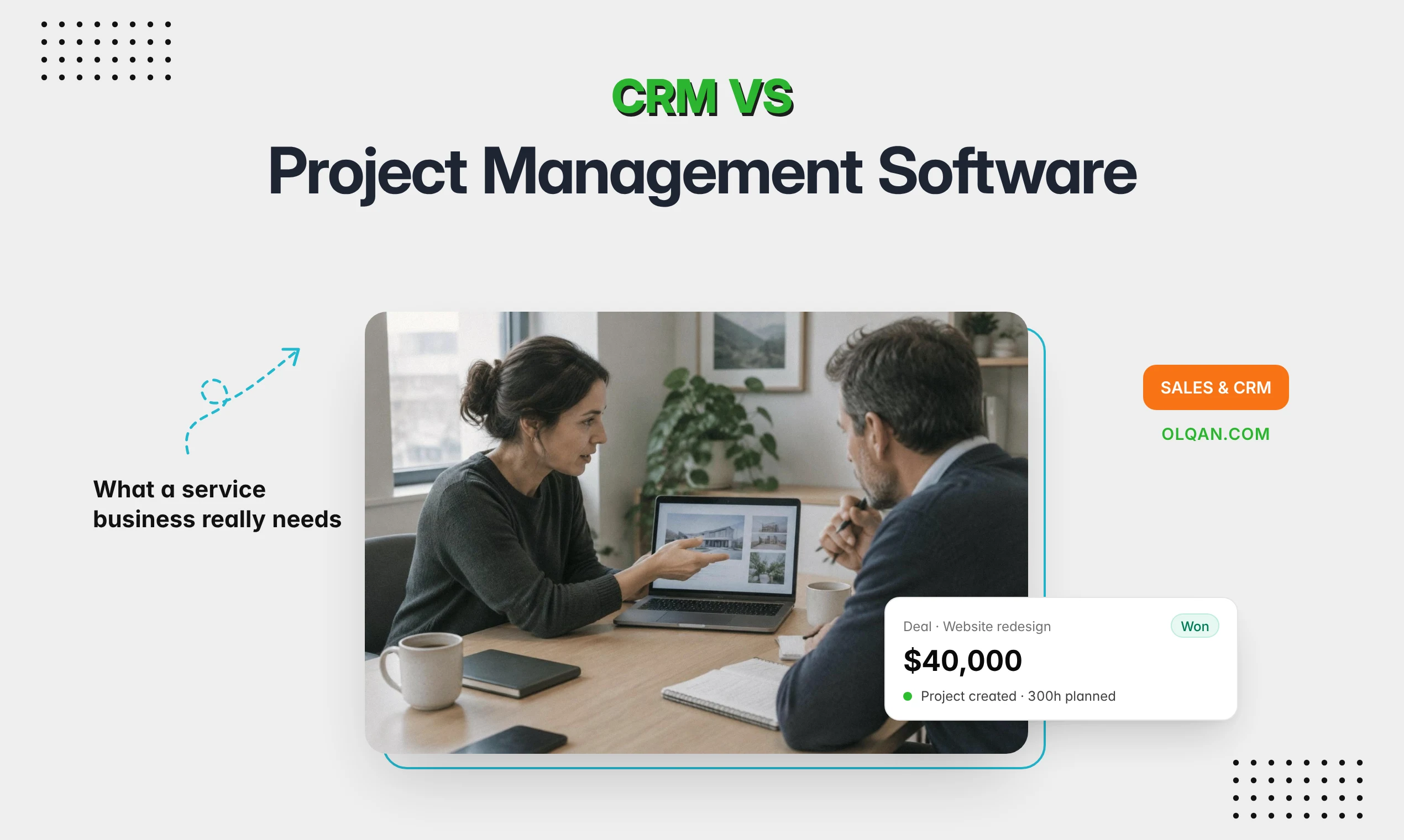
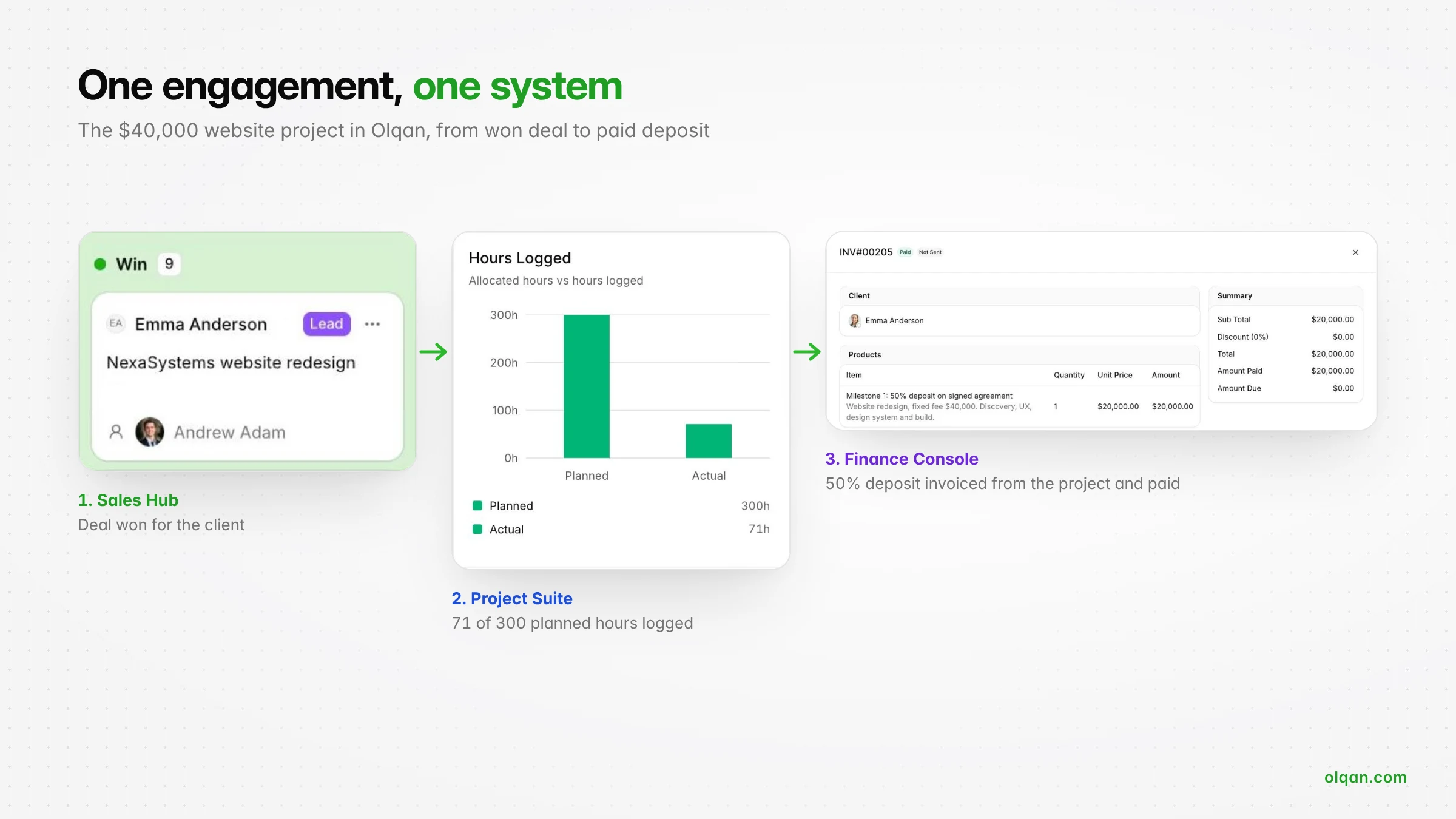
Here is what a connected handoff looks like on one engagement (illustrative figures). An agency wins a $40,000 website redesign:
- In the CRM: the deal moves from proposal to won at $40,000, with the client contact, a 300-hour estimate and 50/50 milestone billing agreed.
- At the handoff: the project is created for the same client with 300 allocated hours, three task groups (discovery, design, build) and a four-person team.
- In delivery: after week one the team has logged 71 of 300 planned hours, so the project manager can see it is on track without asking sales what was promised.
- In billing: the 50% deposit is invoiced from the project on day one, and the balance waits as a draft until launch.
Every step uses data entered once, at the moment it was agreed. That is the standard to test any setup against.
When do you need a CRM, project management software, or both?
A CRM alone is enough when
- You sell products or subscriptions rather than custom client work.
- Delivery is simple and repeatable, with no project tracking needed.
- Your main problem is lead management and follow-up.
Project management software alone is enough when
- You have a handful of long-term clients and almost no new sales.
- Work comes from internal teams rather than external clients.
- Your main problem is deadlines and task management.
You need both when
- You win new client work every month and deliver it as projects or retainers.
- Scope, price or hours agreed in sales affect how delivery is planned.
- You bill from project data: milestones, time logs or retainers.
- You want to know which clients and project types are profitable, not only which ones are busy.
Most agencies, consultancies and professional services firms fall into the third group.
Three ways to run CRM and project management
| Setup | Works well when | Watch out for |
|---|---|---|
| Two separate tools, managed manually | Small teams with a few projects and one person who owns the handoff | Retyping, missed details and no shared view of client profitability |
| Two tools connected by an integration | You already rely on a specific CRM or project management tool and want to keep it | Integrations that sync only some fields, break on updates or need a developer to maintain |
| One system with built-in CRM and project management | You want one record from lead to payment and fewer tools to pay for | Migration effort, and checking that both the CRM features and the project management functionality are strong enough |
Can you use your CRM for project management?
For simple work, sometimes. Many CRM platforms let you add tasks to a deal or a pipeline for onboarding. But a CRM is built around contacts and deals, not projects. It usually lacks time tracking, project budgets, resource management and project status reporting, so it struggles once you run several client projects at once.
Can project management software replace a CRM?
Rarely. A project management tool can hold a list of clients, but it is not built for lead management, pipeline stages, proposals or sales forecasting. Teams that try usually end up tracking deals in a spreadsheet next to it.
What to look for in a combined CRM and project management solution
If you decide one system is the right fit, check these eight features before you commit:
- Lead and deal pipeline with stages, values and owners.
- Proposals and estimates created from templates and linked to the deal.
- Contracts and client approval, ideally with online signing.
- Deal-to-project conversion, so a won deal becomes a project with its client, scope and budget.
- Task management and time tracking strong enough for daily delivery work.
- Budget versus actual and project profitability while work is in progress.
- Invoicing from project data: milestones, time logs and retainers.
- Client portal and reporting across sales, projects and finance.
Also check whether the platform can scale with you as your business grows, and how pricing changes when you add users or features. For the invoicing side in more depth, see our guide to project management software with invoicing.
How to decide: five questions
- Where do you lose the most money today? Missed leads point to CRM. Overruns and unbilled hours point to project management. Both point to one connected system.
- How often do you win new client work? Weekly or monthly sales make the handoff a daily problem, not an occasional one.
- Who owns the handoff today? If the answer is “it depends”, information is being lost.
- Do you need profitability by client? That requires sales, delivery and billing data in one place.
- How many tools can your team realistically keep in sync? Every extra system adds a subscription and a place for data to drift.
How Olqan connects CRM and project management
Olqan is a business operating system that helps growing service businesses, including agencies and consulting firms, grow profitably. It combines a built-in CRM with project management and finance, so sales, delivery and billing data stay in one system from first lead to final payment:
- Win more: manage leads and deals on a pipeline board in the Sales Hub, create proposals and estimates from templates, and track contracts.
- Deliver profitably: run projects, tasks and timesheets in the Project Suite, track billable time, and see budget versus actual and project profitability.
- Get paid faster: invoice from project time, milestones and retainers, and let clients approve, sign and pay through the Client Portal.
Olqan offers a free Solo plan, and paid plans include a 14-day trial with no credit card required. If you prefer a walkthrough, book a demo and we will start with how you sell and deliver today.
Frequently asked questions
Is project management part of CRM?
No. They are separate disciplines. Customer relationship management covers how you find, win and keep clients. Project management covers how you deliver the work. Some platforms include both, but the functions are different.
What is the difference between a CRM and a project management tool?
A CRM tracks people, companies and deals until a sale is made, then supports the relationship afterwards. A project management tool tracks projects, tasks, time and deadlines once work is agreed. The CRM answers “what will we win?” and the project management tool answers “how will we deliver it?”
Can a PSA platform replace my CRM?
Professional services automation (PSA) platforms combine project management, time tracking, resource planning and billing. Some include a built-in CRM and some rely on an integration. Check the sales features as carefully as the delivery features before you replace a CRM.
Can I keep my existing CRM and still use a separate project management tool?
Yes. Many teams do, connected by an integration. Map exactly which fields sync when a deal is won, such as client, scope, value and contacts, and test what happens when a deal changes after the project has started.
Conclusion
CRM vs project management software is the wrong question for most service businesses. You need both functions, because you both sell and deliver client work. The real question is how much information you are willing to lose between them. If you win new work every month and want to know which clients are profitable, a system where the deal, the project and the invoice share the same data removes the handoff where most of that information is lost.