
Small professional services firms usually run on a stack that grew one tool at a time: a CRM for leads, a project management app, a time tracking tool, spreadsheets for budgets and accounting software for invoices. It works until the firm passes ten or fifteen people. Then nobody can answer simple questions quickly. Which projects are over budget? Who has capacity next month? Which billable hours have not been invoiced?
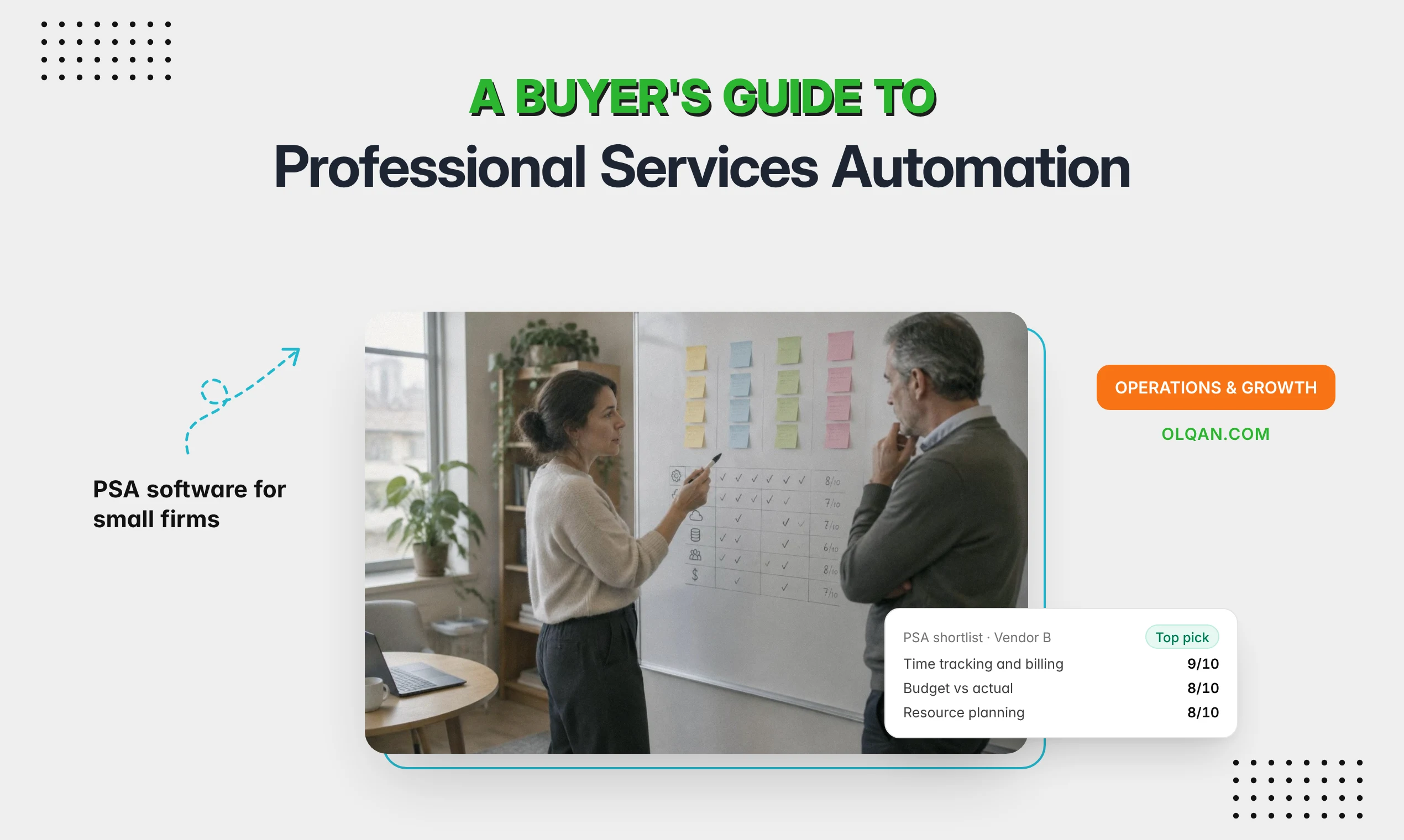
Professional services automation (PSA) software exists to answer those questions in one place. This buyer’s guide explains what PSA is, which requirements matter for a small firm, how much implementation effort to expect, and the questions to ask every vendor before you sign.
What is professional services automation (PSA)?
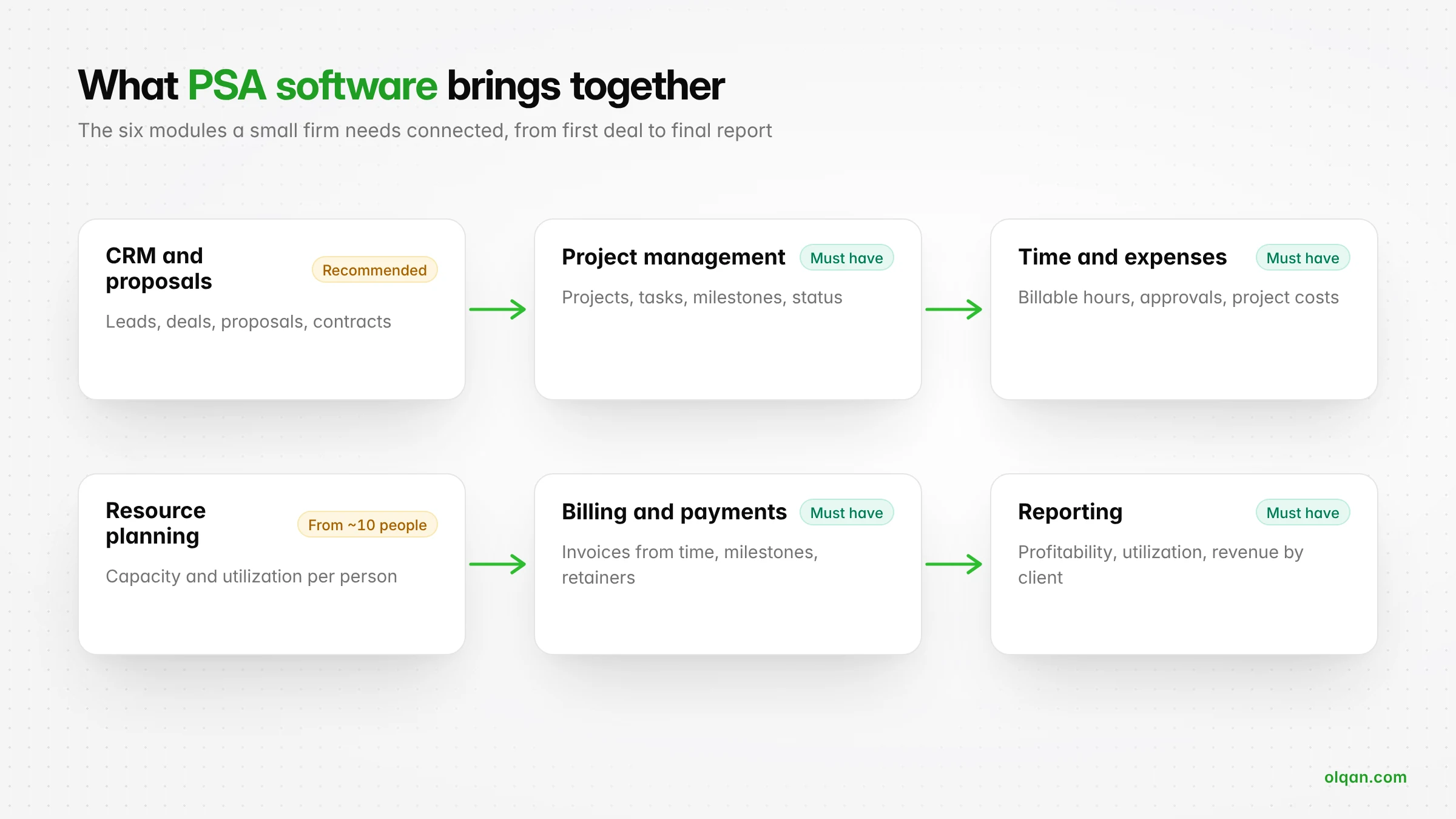
Professional services automation is software that runs the operational side of a service business in one system. A PSA platform typically combines project management, resource planning, time and expense tracking, billing and reporting, and many PSA tools also include CRM, proposals and client portals.
The goal of PSA software is simple: connect the work you sell, the people who deliver it and the money it brings in, so the firm has one source of truth for delivery and profitability. Instead of reconciling three or four tools at month end, a PSA tool keeps the data connected as work happens.
PSA is used by agencies, consultancies, accounting and legal practices, engineering and architecture firms, IT services companies and other professional services organizations that bill for time, deliverables or retainers. You will also see the term used by IT managed service providers, where products such as Autotask PSA focus on tickets, contracts and service desks. For most agencies and consultancies, the project-based kind of PSA is the relevant one.
How PSA software works
A PSA system follows the life of a client engagement from start to finish:
- Sell: leads, deals and proposals are tracked, and an approved proposal sets the scope, price and billing terms.
- Plan: the project is created with a budget, milestones and the people needed to deliver it.
- Deliver: tasks are assigned, time and expenses are logged, and budget versus actual updates in real time.
- Bill: invoices are created from milestones, time logs or retainers, and payments are tracked.
- Analyze: reports show utilization, project profitability and revenue by client.
Because each step uses the data from the step before, the PSA platform removes most of the manual processes that sit between tools.
Benefits of professional services automation
For a small professional service business, the benefits of PSA come from removing the work between tools:
- Real-time visibility: leaders see project status, budget and margin as work happens, not at month end.
- Better resource planning: you optimize resource utilization by seeing who is booked and who has capacity before you accept new work.
- Accurate billing: the PSA solution can automate invoice creation from approved time, milestones and retainers, so billable hours are not lost.
- A streamlined workflow: one workflow from proposal to payment replaces copying data between a CRM, a project tool and billing software.
- Faster service delivery: project managers spend less time on admin and more time on project delivery and client work.
- Fewer integrations to maintain: when core modules live in one PSA system, you only need integration with the tools that remain, such as accounting software.
In short, the right PSA software helps a services organization run the business, not just the projects.
Signs your firm is ready for PSA software
You do not need a PSA tool on day one. These signs suggest you have outgrown separate tools and spreadsheets:
- Month-end billing takes days because hours, rates and expenses have to be collected from several places.
- You find out a project went over budget after it closed, not while it was running.
- Resource planning happens in a spreadsheet or in someone’s head, and people are regularly over or under booked.
- Billable hours are logged but some never reach an invoice.
- Leadership cannot see utilization or profitability by client without building a report by hand.
- You are adding people, and every new hire makes the existing workflow slower.
If three or more apply, the time you spend reconciling tools is probably already larger than the time a PSA implementation takes.
Requirements: what a small firm actually needs from PSA
Enterprise PSA solutions can do almost anything, but small firms pay for complexity in setup time and adoption. Separate what you need now from what you might need later.
| Requirement | Priority for a small firm | What good looks like |
|---|---|---|
| Project management | Must have | Projects, tasks, owners, milestones and status in one view |
| Time tracking and billable hours | Must have | Fast time entry against tasks, marked billable or non-billable, with approval |
| Budgets and project profitability | Must have | Budget versus actual and margin per project while work is in progress |
| Billing and invoicing | Must have | Invoices from time logs, milestones and retainers, plus payment tracking |
| Resource management and utilization | Must have from about 10 people | Capacity and utilization per person before you commit to new work |
| CRM and proposals | Strongly recommended | Deals and proposals connected to the project they become |
| Client portal | Recommended | Clients approve, sign and pay in one place |
| Expense management | Recommended | Project expenses captured and billed back where agreed |
| Reporting and dashboards | Must have | Ready-made reports for projects, time, finance and sales, with export |
| Integrations | Depends on your stack | Accounting software, payment gateways, calendar and email |
| Advanced automation and business intelligence | Later | Workflow rules, forecasting and custom analytics |
A practical rule: if a PSA platform cannot handle the first six rows well, extra features will not make up for it.
PSA vs separate tools vs ERP
| Option | Best for | Trade-offs |
|---|---|---|
| Separate tools (CRM, project management software, time tracking, billing software) | Very small teams with simple billing | Low cost per tool, but manual reconciliation, unbilled hours and no shared view of profitability |
| PSA software | Service-based businesses from about 5 to 200 people | One system for delivery and billing; requires a few weeks of setup and team adoption |
| ERP with a services module | Larger firms with complex finance, inventory or multi-entity accounting | Powerful but expensive, with long implementations that small firms rarely need |
For a firm that sells and delivers client projects, PSA usually sits in the right middle ground: more connected than separate tools, far lighter than an ERP. If you are still deciding whether you need sales and delivery in one place, our comparison of CRM vs project management software covers that question in more depth.
Implementation effort: what to expect
Implementation is where small firms underestimate PSA. The software is usually ready in a day. Your data, processes and habits take longer. Here is a realistic plan for a 10 to 30 person firm (an estimate, not a vendor promise):
| Phase | Typical duration | What happens |
|---|---|---|
| 1. Design | Week 1 | Agree your project types, billing methods, roles, cost and billing rates, and approval rules |
| 2. Setup | Week 1 to 2 | Import clients and team, configure invoice templates, taxes, payment gateways and permissions |
| 3. Pilot | Weeks 2 to 4 | Run two or three live projects end to end, from proposal to invoice |
| 4. Rollout | Weeks 4 to 6 | Move all new work into the PSA, train everyone, set a switch-off date for old tools |
| 5. Review | Week 8 | Check time entry compliance, billing accuracy and the first profitability reports |
Three things decide whether implementation succeeds:
- An owner. One person, usually operations or a partner, is responsible for the rollout and has time to do it.
- Clean starting data. Import active clients and projects only. Archive the rest rather than migrating years of history.
- A switch-off date. If the old spreadsheet is still available, people will keep using it.

How to choose the right PSA software: questions to ask every vendor
The best PSA software for your firm is the one that answers these questions well for your workflow. Use them in demos and trials, and ask the vendor to show the answer in the product, not on a slide.
Delivery and resources
- Can we see budget versus actual and project profitability while a project is running?
- How do we see capacity and utilization per person for the next four weeks?
- How quickly can a team member log time against a task, and can managers approve it?
Billing and finance
- Can we invoice from approved time logs, milestones and retainers without exporting data?
- How are time entries shown on invoices, and how do we correct or dispute an entry?
- Which payment gateways, currencies and tax rules are supported in our markets?
- Does the PSA integrate with our accounting software, and which records sync?
Sales and clients
- Does the tool span proposals, staffing, delivery, billing and profitability analysis, or only one stage?
- Can a won deal become a project with its client, scope and budget?
- What can clients see and do in the client portal?
Cost, data and support
- What is the full price per user, and what changes as we add users or features?
- Are implementation, training or onboarding services charged separately?
- How do we export our data if we leave?
- What support is included, and how fast is it?
How much does PSA software cost?
Most PSA software is priced per user per month, often billed annually. Prices vary widely: some tools start free for one user, mid-market PSA platforms commonly charge tens of dollars per user per month, and enterprise PSA solutions add implementation fees on top. When you compare, calculate the total for your team for one year, including:
- Licences for everyone who logs time, not only managers.
- Implementation or onboarding services.
- Payment processing fees for online invoices.
- Integrations or add-ons you need to make it work.
- The internal time your team spends on setup and training.
Then compare that total with what disconnected tools cost you today, including unbilled hours and the admin time spent reconciling them. Our guide on how to calculate agency project profitability shows how to put a number on lost margin.
Common mistakes when buying PSA software
- Buying for the firm you might be in five years. Choose what solves today’s problems and can scale with you.
- Judging on demo data. Run a real project through the trial, including a change request and an invoice.
- Leaving out the people who log time. If time entry is slow, every report built on it is wrong.
- Migrating everything. Start with active work and keep history in an archive.
- No success measures. Decide in advance what improvement you expect, such as faster month-end billing or a higher share of billable hours invoiced.
How Olqan fits as PSA software for small firms
Olqan is a business operating system that helps growing service businesses, including agencies and consulting firms, grow profitably. It covers the full PSA cycle in one system:
- Win more: leads, deals on a pipeline board, proposals and estimates from templates, and contracts.
- Deliver profitably: projects, tasks, timesheets, billable and non-billable time, budget versus actual, project profitability, utilization and capacity.
- Get paid faster: invoices from project time, milestones and retainers, recurring invoices, payment reminders and reconciliation, with clients approving, signing and paying through the Client Portal.
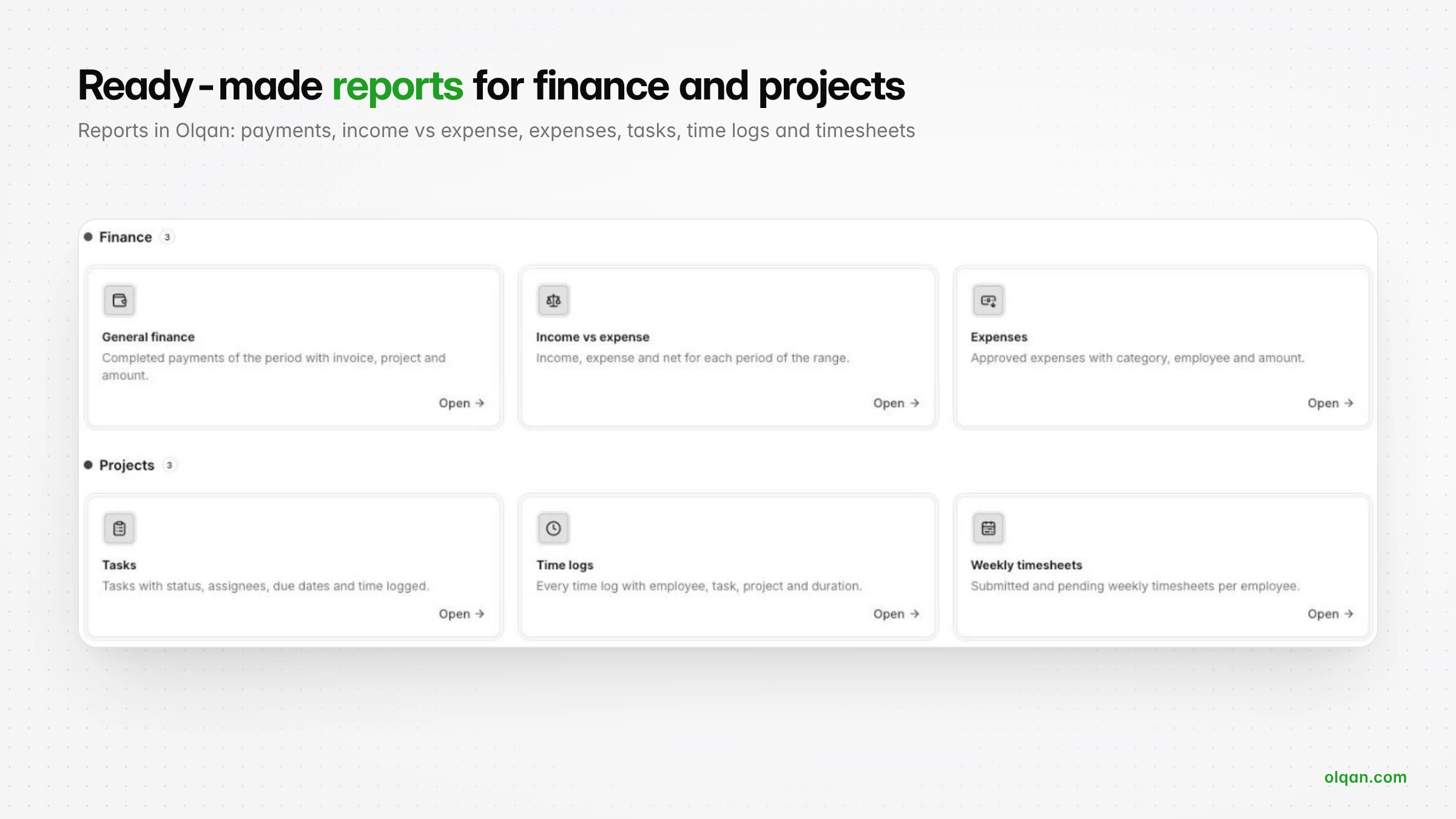
- Scale with less overhead: ready-made reports across sales, projects and finance, plus support tickets, HR and procurement when you need them.
Pricing is per user: a free Solo plan, then Team at $12 and Business at $19 per user per month, billed yearly (see all plans). For example, a 10-person firm on the Business plan pays $190 per month, or $2,280 per year. Paid plans include a 14-day trial with no credit card required, which is enough to run a pilot project from proposal to invoice. If you prefer a walkthrough, book a demo.
Frequently asked questions
What does PSA stand for?
PSA stands for professional services automation: software that helps service businesses manage projects, resources, time, billing and reporting in one system.
Do small firms need a PSA tool?
Not always. A firm with a few people and simple billing can manage with separate tools. Once you run several client projects at once, bill from time or milestones and need to see profitability, a PSA tool removes most of the reconciliation work between tools.
Does PSA software integrate with CRM and accounting tools?
Most PSA platforms either include a CRM or integrate with one, and many sync with accounting software. Check exactly which records sync, such as clients, invoices and payments, and in which direction.
How long does PSA implementation take for a small firm?
For a 10 to 30 person firm, plan on four to eight weeks from design to full rollout, including a pilot on live projects. The software setup is quick; changing habits takes longer.
What is the difference between PSA and project management software?
Project management software organizes tasks and deadlines. PSA software adds the business side: resource planning, billable time, budgets, invoicing and profitability reporting, so you can run the firm as well as the projects.
Conclusion
The right PSA software for a small firm is not the one with the longest feature list. It is the one your team will use every day, that connects sales, delivery and billing, and that shows you profitability while projects are still running. Define your must-have requirements, run a real project through a trial, ask every vendor the same questions, and choose the PSA platform that removes the most manual work for the price.