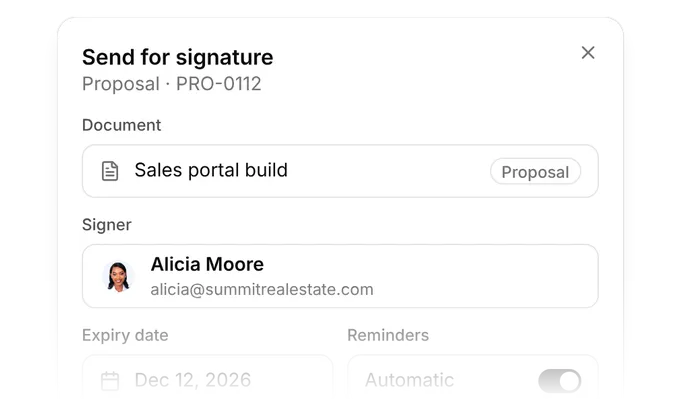
Get contracts signed without the chase. Send proposals, estimates and contracts from Olqan. Clients sign on any device, reminders go out on their own and every signature is on record. Start free Send for signatureAutomatic remindersSigned and recorded Send it once. Set the deadline. Send a proposal, estimate or contract for signature from Olqan. Add an expiry date so offers do not stay open forever. Reminders go out on their own. Olqan reminds the client until the document is signed, so your team stops chasing signatures by email. Every signature, on record. Each signature saves the time, IP address and email of the signer. Download the signed PDF or email a copy. 1M+Documents sent 500K+Signatures collected 2M+Reminders sent Trusted by growing companies ProposalsEstimatesContractsE-signaturesSigning remindersExpiry dates Signing recordSigned PDFsVersion historyClient centerRoles and permissionsSales Hub Signed, not stuck in an inbox.Send the document, let Olqan follow up and keep proof of every signature. SendSend proposals, estimates and contracts for signature in a few clicks. See sending RemindAutomatic reminders and expiry dates keep every offer moving. See reminders RecordThe time, IP address and email are saved with every signature. See the record Built for every document you send.Pick a step and see it in Olqan. Contracts and e-signatures Proposals and estimates Contracts Signing Reminders and expiry Signing record Signed copies See plans and pricing Proposals and estimates Send proposals and estimates for signature and see which ones are signed, waiting or expired. Proposals and estimates in one listStatus on every documentSigned by the client in Olqan Contracts Send contracts for signature and keep every contract in one place, with its status and expiry date. Every contract in one listExpiry date on each contractStatus at a glance Signing on any device Clients open the document and sign on their phone or computer. They do not need an Olqan account or an app. Sign on phone or computerNo account neededNo app to install Reminders and expiry dates Olqan sends reminders until the document is signed. Set an expiry date so offers do not stay open forever. Automatic signing remindersExpiry date per documentFewer follow-up emails Signing record Every signature saves the time, IP address and email of the signer, so you have proof when you need it. Time of signingIP address of the signerEmail of the signer Signed copies and versions Download the signed PDF or email a copy to the client. Version history keeps earlier versions of the document. Signed PDF downloadEmail a signed copyVersion history Teams that run on Olqan.What our customers say. “It's really convenient for my team to do cross-functional tasks from sales to managing their times and keeping track of everything.” Ibrahim Barhumi Founder & CEO “I use Olqan for my entire company and it really solves various operational areas like Operation, Sales, and HR.” Sochenda Hassig Chief Financial Officer “We tried other platforms over the last year or two, but none of them have come close to Olqan.” Kaelan Boyd Nonprofit Founder From sent to signed.Contracts and e-signatures are part of Olqan. Send, remind and sign in the same system as your sales and finance. 1Document sentYou send a proposal, estimate or contract for signature. 2Reminder sentOlqan reminds the client until it is signed. 3SignedThe client signs on any device and the signature is recorded. 4Copy savedYou download the signed PDF or email a copy. See how sales teams use Olqan Get started Questions about Contracts and e-signatures. Is Contracts and e-signatures a separate product? No. Contracts and e-signatures are part of Olqan. You send documents for signature from the same system you use for sales, projects and finance. What can clients sign in Olqan? Clients can sign proposals, estimates and contracts that you send from Olqan. Does the client need an Olqan account to sign? No. The client opens the document and signs on their phone or computer. They do not need an account or an app. Does Olqan send signing reminders? Yes. Olqan sends automatic reminders until the document is signed, so your team does not have to chase signatures by email. Can I set an expiry date on a document? Yes. Add an expiry date to a document so offers do not stay open forever. What does Olqan record when a document is signed? Every signature saves the time, the IP address and the email of the signer. How do I get a copy of the signed document? Download the signed PDF or email a copy to the client. Version history keeps earlier versions of the document. Get your next contract signed with Olqan. Start free and send your first document for signature. Start free Book a demo