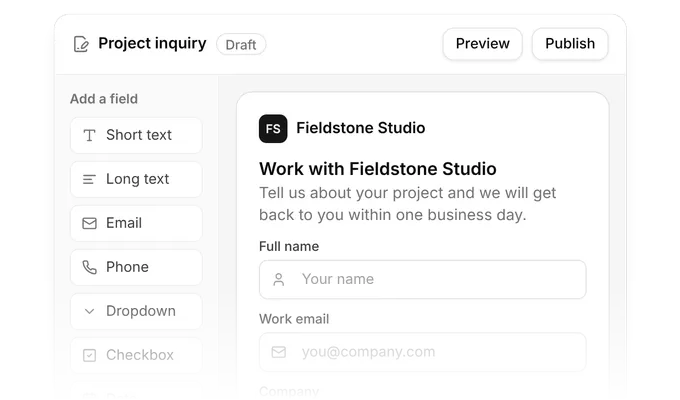
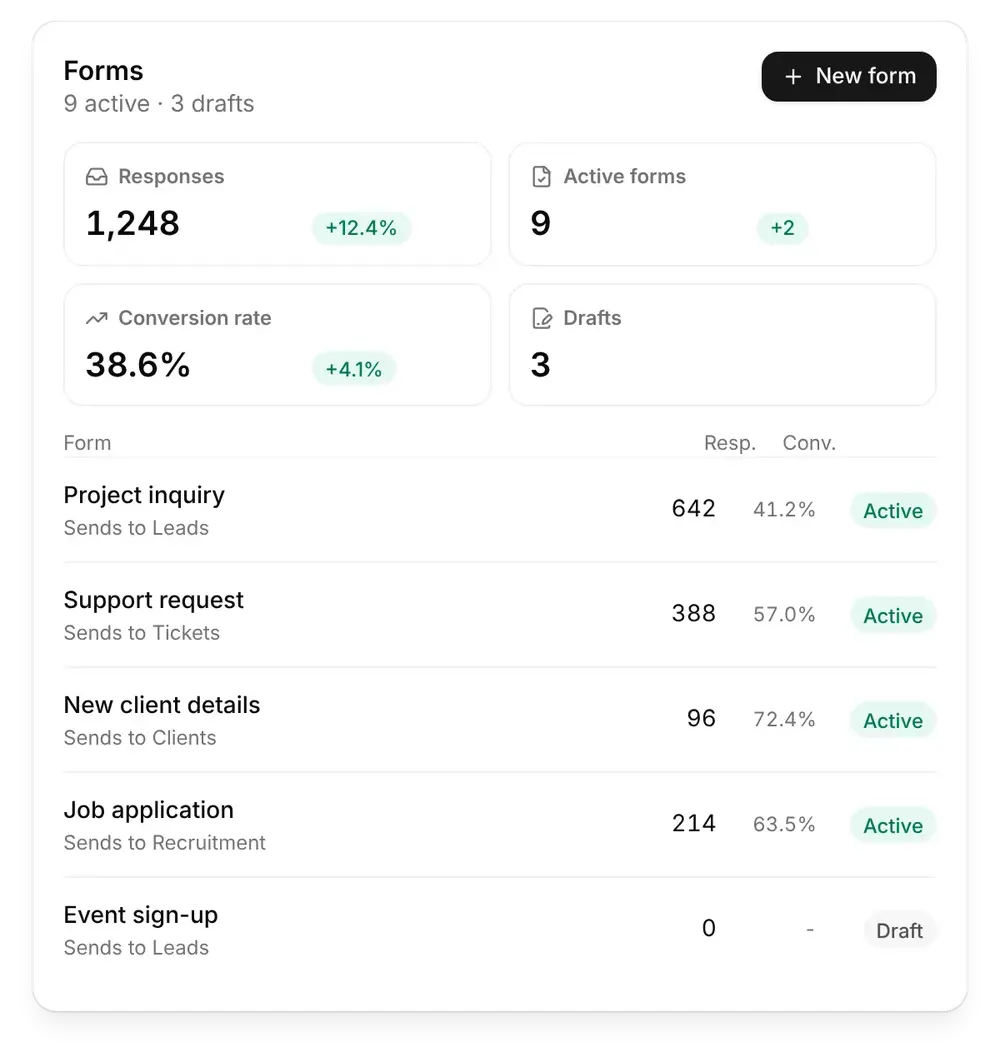
Build forms that feed your business. Design your own forms, share them by link, on your website, by email or in the client portal, and send every reply to leads, clients, tickets or recruitment. Start free LeadsEvery reply goes to Sales Hub Lead formsTurn website visitors into leads your sales team can follow up. Build a lead form Your own fields and designEach response creates a leadFollow up from Sales HubShare by link or on your website ClientsEvery reply adds a client Client intake formsCollect everything you need to set up a new client. Build an intake form Company and contact detailsEach response adds a clientReady for the client portalShare in the client portal TicketsEvery reply opens a ticket Support formsLet clients send requests that land straight in Tickets. Build a support form Subject, type and detailsEach request opens a ticketYour team replies from TicketsReplies kept per form Trusted by growing companies Form builderCustom fieldsDesignShare linkWebsite embedForm replies Lead formsSupport formsJob applicationsConversion rateSales HubClient Portal Every response lands in the right place.Build the form once. Olqan files every answer where your team already works. BuildAdd your own fields and design the form your way. See the builder CollectReplies go to leads, clients, tickets or recruitment. See responses MeasureSee responses, conversion rate and drafts for every form. See insights Built for every form you need.Pick a part of Forms and see it in Olqan. Forms Form builder Design Share anywhere Replies and connections Lead forms Support requests Responses and insights See plans and pricing Form builder Add the fields you need and arrange the form the way you want it. Your own fieldsDrafts until you publishEvery form in one place Design Add your logo, pick your colours and shape the layout so every form looks like your brand. Your logo and coloursLayout and style optionsMatches your brand Share anywhere Share a form by link, embed it on your website or landing pages, send it by email or show it in the client portal. Share linkEmbed on your websiteEmail and client portal Replies and connections Every form keeps its own replies, and you choose where they go: leads, clients, tickets or recruitment. Replies kept per formConnect to leads or clientsConnect to tickets or recruitment Lead forms Every reply from a lead form becomes a lead in Sales Hub, ready for follow-up. Replies become leadsNo copy and pasteFollow up from Sales Hub Support requests Clients describe what they need and each request opens a ticket for your support team. Each request opens a ticketYour team replies from TicketsNothing lost in email Responses and insights See responses, active forms, conversion rate and drafts in one view, and where each form sends its replies. Responses per formConversion rateDrafts and active forms Teams that run on Olqan.What our customers say. “It's really convenient for my team to do cross-functional tasks from sales to managing their times and keeping track of everything.” Ibrahim Barhumi Founder & CEO “I use Olqan for my entire company and it really solves various operational areas like Operation, Sales, and HR.” Sochenda Hassig Chief Financial Officer “We tried other platforms over the last year or two, but none of them have come close to Olqan.” Kaelan Boyd Nonprofit Founder From form to follow-up.Forms is part of Olqan. Every response lands in the same system as your sales, clients and support. 1Form publishedYou share the form by link, on your website, by email or in the client portal. 2Response receivedSomeone fills in the form. 3Record createdThe reply becomes a lead, a client, a ticket or a job application. 4Team follows upYour team picks it up in Olqan. See how sales teams use Olqan Get started Questions about Forms. Is Forms a separate product? No. Forms is part of Olqan, so replies go straight to your leads, clients, tickets and recruitment. Can I add my own fields? Yes. Add the fields you need and arrange the form the way you want. Can I change how a form looks? Yes. Add your logo, choose your colours and adjust the layout so the form matches your brand. How do I share a form? Share it by link, embed it on your website or landing pages, send it by email or show it to clients in the client portal. Where do form replies go? Every form keeps its own replies, and you can connect them to leads, clients, tickets or recruitment. How do I see how a form performs? The Forms dashboard shows responses, active forms, conversion rate and drafts. Do I still need a separate form tool? No. Olqan forms replace a standalone form tool and remove the step of copying replies into your other systems. Build your first form with Olqan. Start free and publish your first form today. Start free Book a demo